
Sensitive-data detection
Classify credentials, payment cards, email addresses, phone numbers, and IBAN values locally.
 Browser extensionVersion 1.0.0
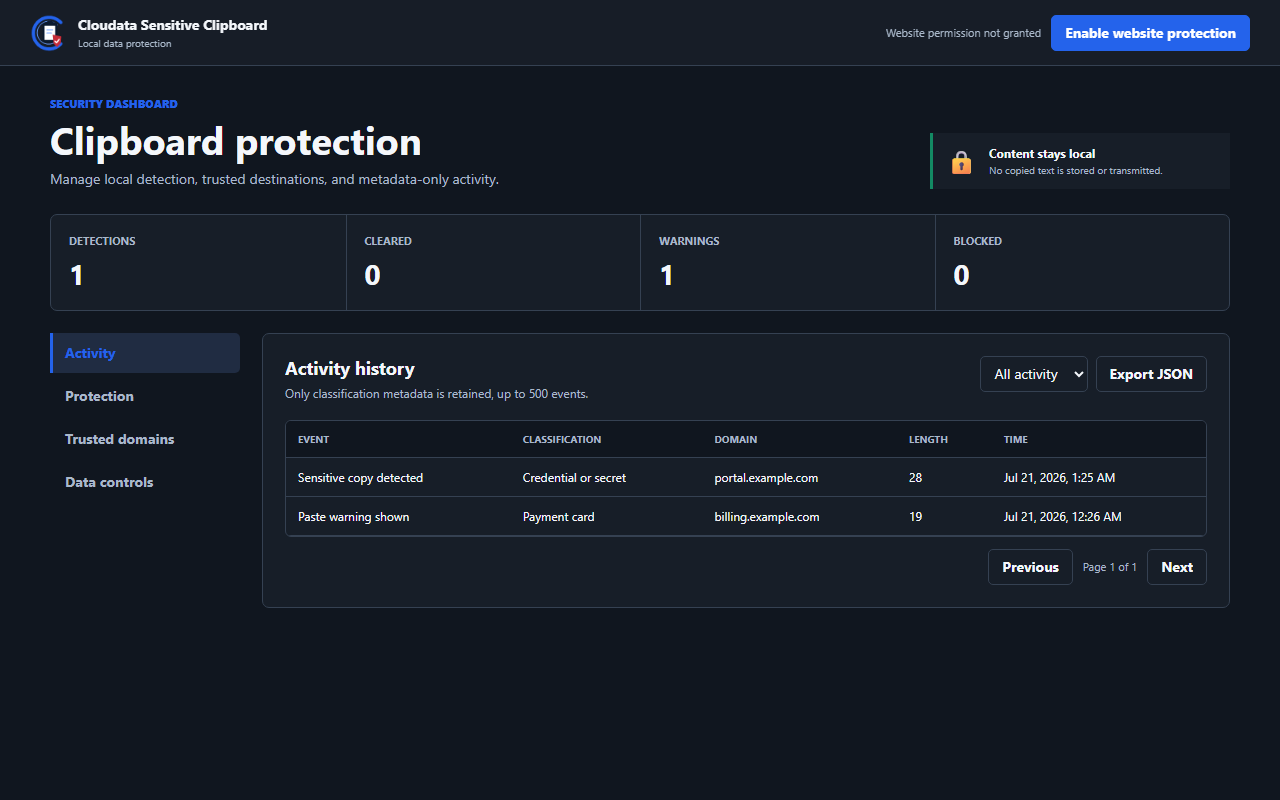
Detect sensitive clipboard content locally, warn before risky pastes, and clear unchanged sensitive copies after a controlled delay.
Capabilities
Each extension solves a specific workflow while keeping setup, control, and data handling easy to understand.
Classify credentials, payment cards, email addresses, phone numbers, and IBAN values locally.
Warn, block, or monitor sensitive pastes on destinations that are not explicitly trusted.
Clear only when a SHA-256 comparison confirms that the clipboard still contains the detected value.
Manage trusted domains, detector categories, notifications, and a bounded metadata-only history.
Simple workflow
Approve optional website access only when you want clipboard protection in website fields.
The extension classifies selected clipboard content inside the browser without transmitting the value.
Continue, block, trust the destination, or let unchanged sensitive content clear automatically.
Security and privacy
The extension follows Manifest V3 practices and limits data handling to what its purpose requires.
Product questions
Detect sensitive clipboard content locally, warn before risky pastes, and clear unchanged sensitive copies after a controlled delay.
Cloudata Sensitive Clipboard supports Chrome + Edge, Manifest V3, Local detection.
Raw clipboard text is never stored, logged, or sent to Cloudata or third parties. Website and clipboard permissions are optional and requested only for enabled protection features. Automatic clearing compares the current clipboard fingerprint first, so newer clipboard content is preserved.
Reduce accidental exposure when sensitive business information moves through the browser clipboard.